Report a Bug
Found an issue? Help us improve Snapzy by submitting a detailed bug report.
How to submit a bug report
- 1
Open Report a Problem
In Snapzy, go to Help → Report a Problem. This opens the built-in bug reporter with system info pre-filled.
- 2
Choose where to report
Pick either Discord (for quick support) or GitHub Issues (for tracking) below.
- 3
Attach the .zip log bundle
Drop the diagnostic log bundle along with a brief description of the issue you encountered.
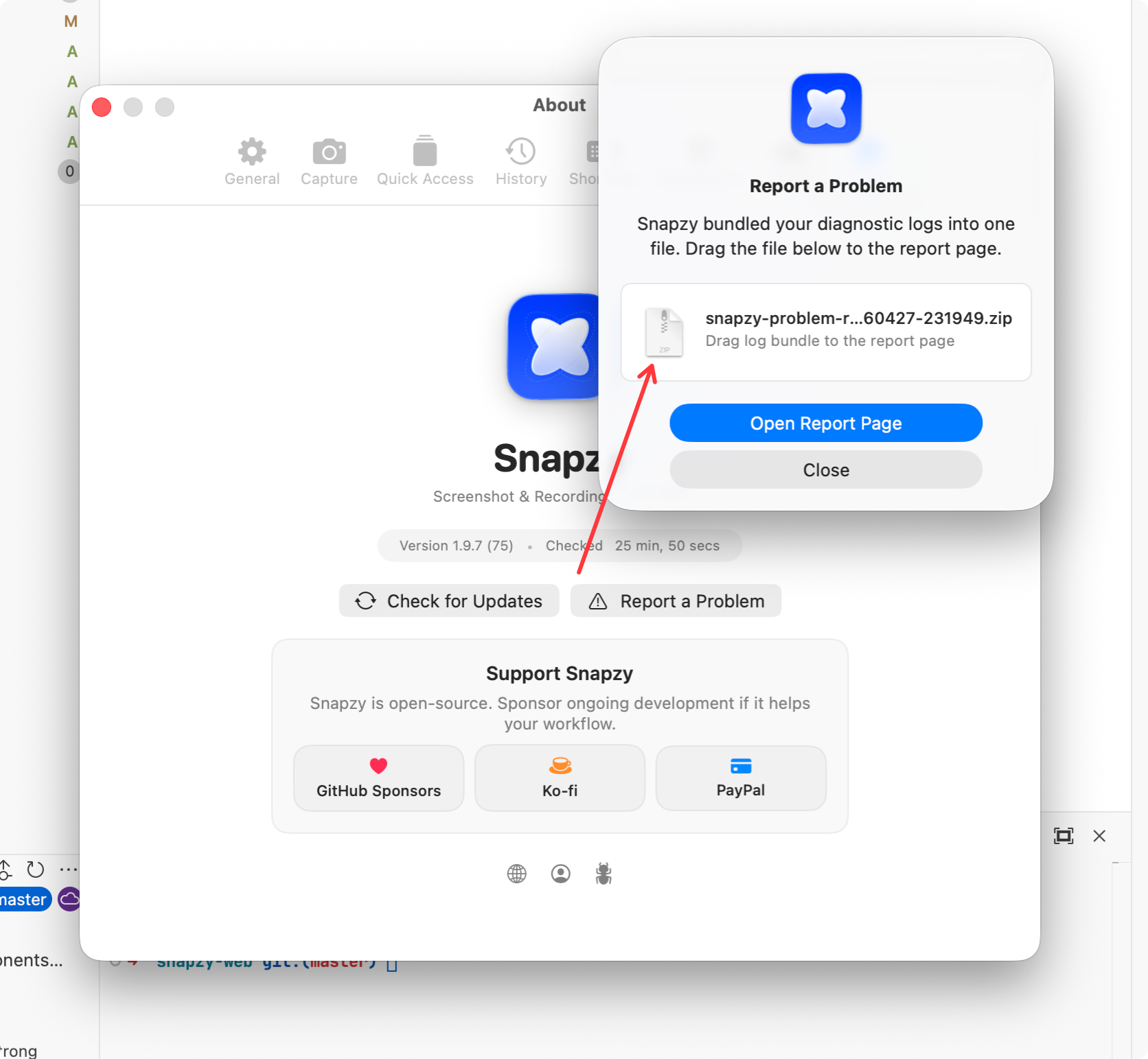
In Snapzy, go to Help → Report a Problem. This opens the built-in bug reporter with system info pre-filled.