Feedback

バグを報告

問題を見つけましたか?詳細なバグ報告を送信して、Snapzyの改善にご協力ください。

How to submit a bug report

  1. 1

    Open Report a Problem

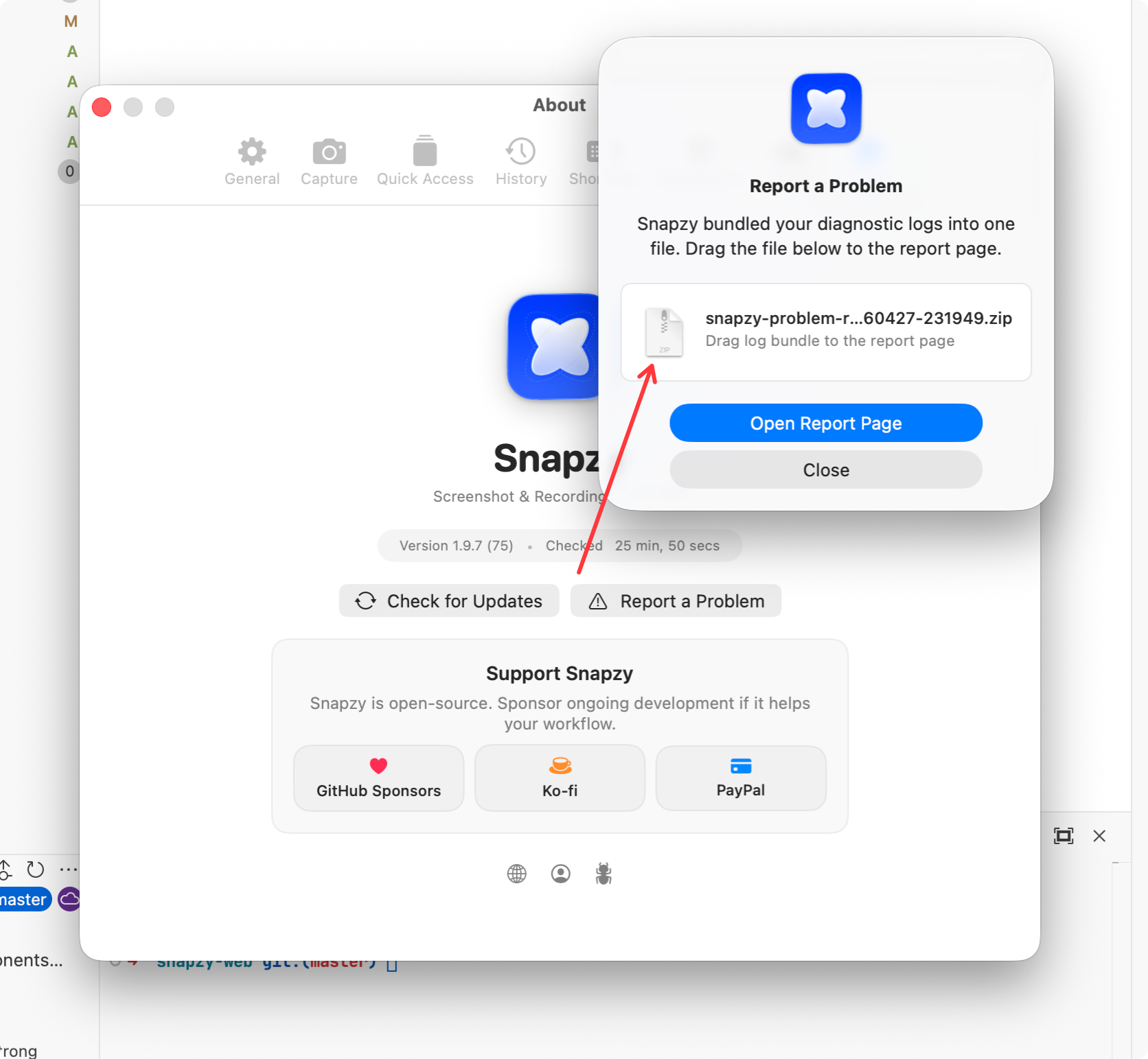
    In Snapzy, go to Preferences → About → Report a Problem or Preferences → General → Diagnostics → Report a Problem. Snapzy will bundle your diagnostic logs into a single .zip file automatically.

  2. 2

    Choose where to report

    Pick either Discord (for quick support) or GitHub Issues (for tracking) below.

  3. 3

    Attach the .zip log bundle

    Drop the diagnostic log bundle along with a brief description of the issue you encountered.

Snapzy Report a Problem dialog showing how to export diagnostic logs

The "Report a Problem" dialog in Snapzy bundles your logs automatically.

最高の作品を
キャプチャする準備はできましたか?

macOS向け最高の画面キャプチャツールを作るオープンソースコミュニティに参加してください。

macOS 13+ · Intel & Apple Silicon