Feedback
버그 신고
문제를 발견하셨나요? 자세한 버그 신고를 제출하여 Snapzy를 개선하는 데 도움을 주세요.
How to submit a bug report
- 1
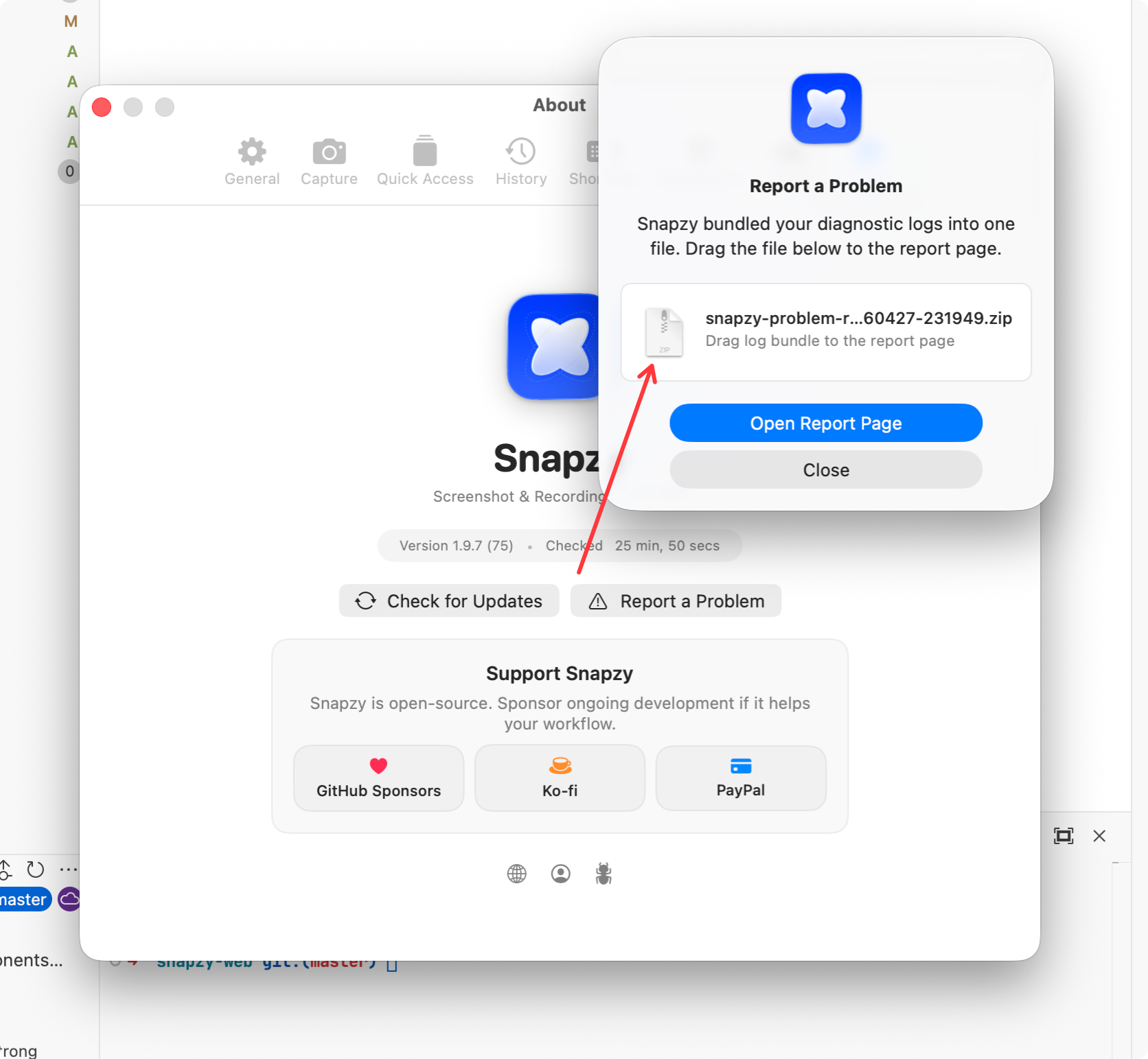
Open Report a Problem
In Snapzy, go to
Preferences → About → Report a ProblemorPreferences → General → Diagnostics → Report a Problem. Snapzy will bundle your diagnostic logs into a single.zipfile automatically. - 2
Choose where to report
Pick either Discord (for quick support) or GitHub Issues (for tracking) below.
- 3
Attach the .zip log bundle
Drop the diagnostic log bundle along with a brief description of the issue you encountered.

The "Report a Problem" dialog in Snapzy bundles your logs automatically.
최고의 작업물을
캡처할 준비가 되셨나요?
macOS용 최고의 화면 캡처 도구를 만드는 오픈소스 커뮤니티에 참여하세요.
macOS 13+ · Intel 및 Apple Silicon