Сообщить об ошибке
Нашли проблему? Помогите нам улучшить Snapzy, отправив подробное сообщение об ошибке.
Как отправить отчёт об ошибке
- 1
Открыть «Сообщить о проблеме»
В Snapzy перейдите в Help → Report a Problem. Откроется встроенный репортёр с предзаполненной системной информацией.
- 2
Выберите, куда сообщить
Выберите Discord (для быстрой поддержки) или GitHub Issues (для отслеживания) ниже.
- 3
Прикрепите архив логов .zip
Прикрепите диагностический архив логов вместе с кратким описанием возникшей проблемы.
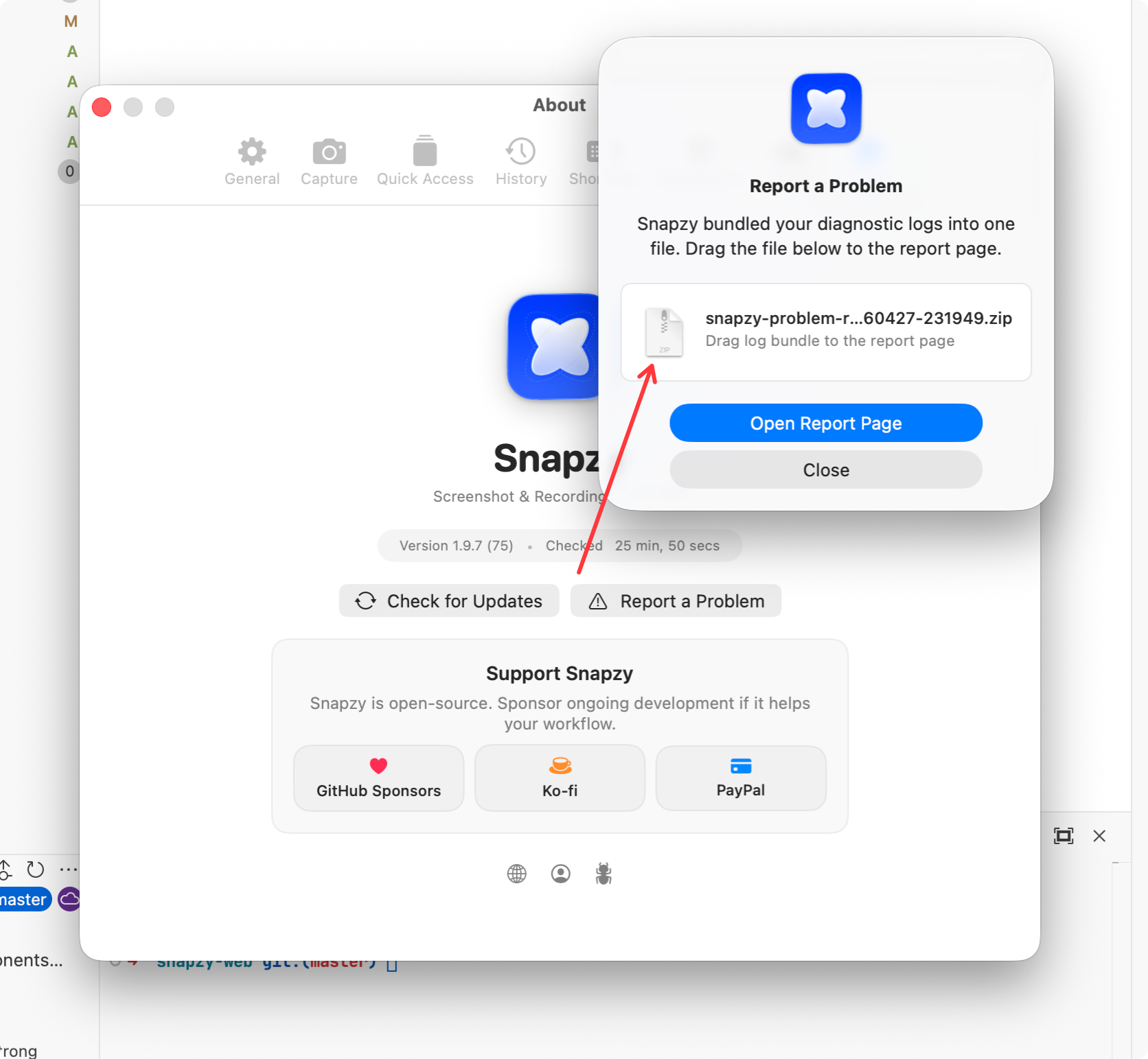
В Snapzy перейдите в Help → Report a Problem. Откроется встроенный репортёр с предзаполненной системной информацией.