Báo Lỗi
Phát hiện vấn đề? Hãy giúp chúng tôi cải thiện Snapzy bằng cách gửi báo cáo lỗi chi tiết.
Cách gửi báo cáo lỗi
- 1
Mở Báo cáo Vấn đề
Trong Snapzy, đi đến Help → Report a Problem. Điều này mở trình báo cáo lỗi tích hợp sẵn với thông tin hệ thống được điền sẵn.
- 2
Chọn nơi báo cáo
Chọn Discord (để hỗ trợ nhanh) hoặc GitHub Issues (để theo dõi) bên dưới.
- 3
Đính kèm gói log .zip
Thả gói log chẩn đoán cùng với mô tả ngắn gọn về vấn đề bạn gặp phải.
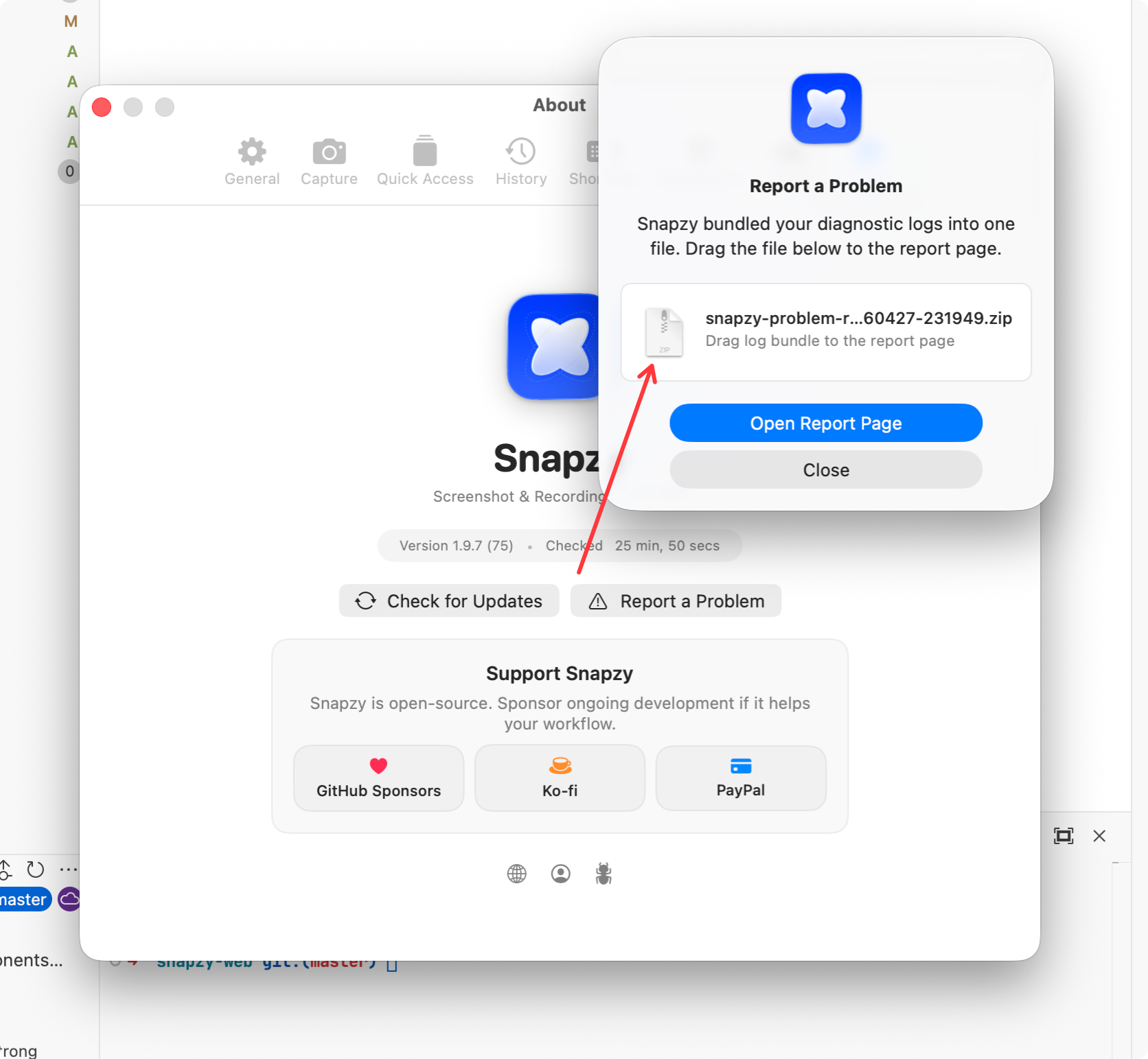
Trong Snapzy, đi đến Help → Report a Problem. Điều này mở trình báo cáo lỗi tích hợp sẵn với thông tin hệ thống được điền sẵn.